
In this article:
- Stop the Spreadsheet Shuffle: Scaling Your Multi-Store Operations
- Why Manual Accounting is Costing Your Multi-Store Business
- The Benefits of Centralizing Financial Data via WooCommerce Xero Integration
- Step-by-Step: Setting Up Your Automated Sync
- Focus on What Matters: Growing Your Business, Not Data Entry
Stop the Spreadsheet Shuffle: Scaling Your Multi-Store Operations
If you are running more than one WooCommerce store, you know the struggle: reconciling sales, taxes, and customer payments across different dashboards is a time-consuming headache. For SME owners and operations leads, the manual effort required to keep your ledger accurate often leads to data silos and human error. Implementing a robust WooCommerce Xero integration is a necessity for maintaining a clear financial view of your entire business ecosystem.
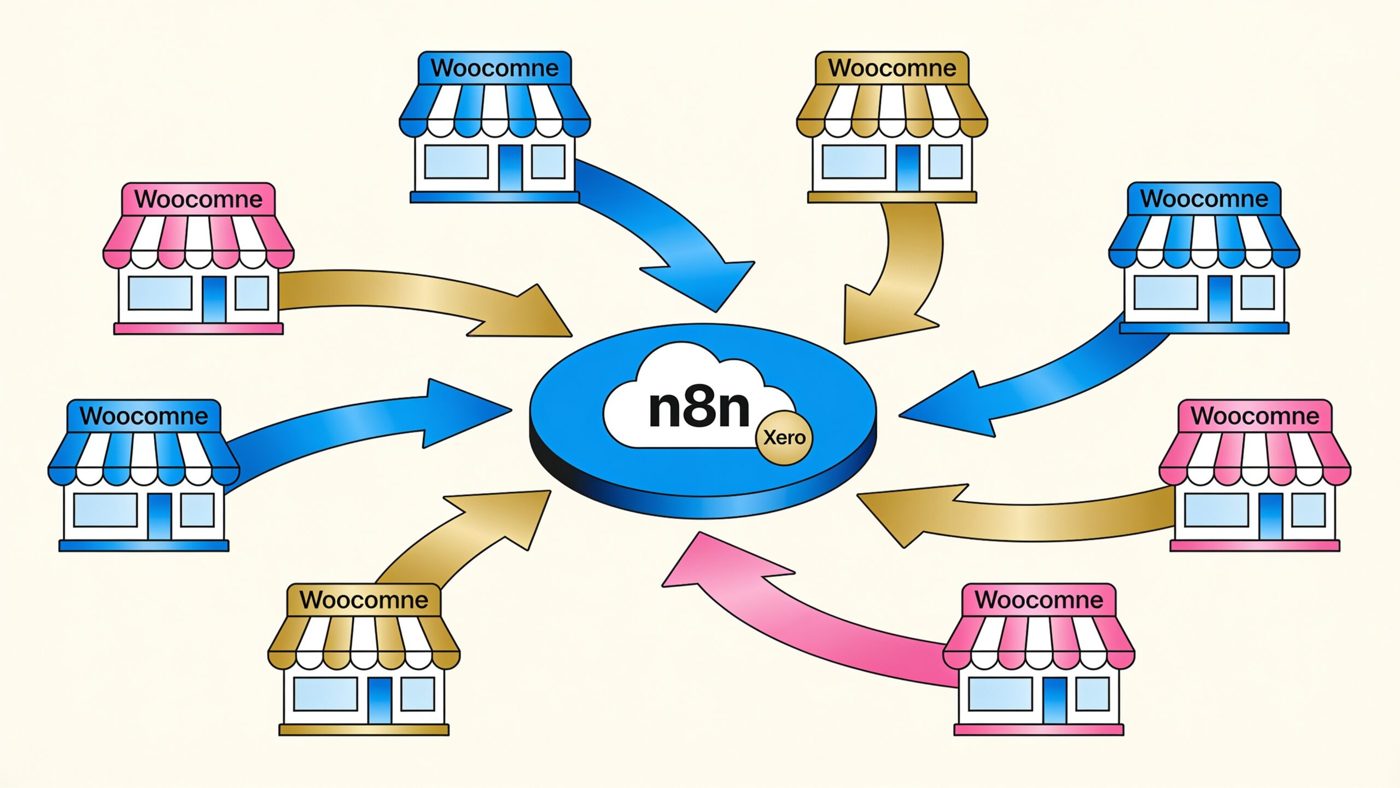
Centralizing your financial data eliminates the fragmented reporting that complicates tax season and inventory management. By using n8n to automate your bookkeeping, you can turn chaotic cross-platform transactions into a streamlined pipeline. In this guide, we explore why manual accounting is costing your business money and how to reclaim your time. We explain the benefits of centralizing your financials in Xero, detail how n8n simplifies your multi-store workflows, and provide a path to setting up your automated sync. By the end of this post, you will be ready to move away from tedious data entry and refocus your energy on scaling your stores.
Why Manual Accounting is Costing Your Multi-Store Business
When you operate multiple WooCommerce storefronts, your biggest operational risk is the hidden manual tax. Every time a staff member manually exports a CSV, reconciles tax settings, or types a customer invoice into Xero, your business loses money in payroll hours and the potential for human error. For many SME owners, managing fragmented revenue streams leads to delayed financial reporting, which prevents informed cash flow decisions.
As your volume increases, manual bookkeeping creates a bottleneck. This lack of e-commerce financial consolidation keeps your operational overhead high and leaves your financial data siloed. The consequences include:
- Inconsistent Tax Reporting: Manually applying different tax rules across multiple store regions leads to errors that complicate VAT filings.
- Delayed Decision Making: Relying on end-of-month manual reconciliation means your financial reports are 30 days behind reality.
- Increased Operational Overhead: The cost of human-in-the-loop processing scales with your orders, eating into profit margins.
- Data Integrity Risks: Manually moving data between platforms creates opportunities for duplicate entries or missed orders.
The Benefits of Centralizing Financial Data via WooCommerce Xero Integration
Centralizing your operations through a WooCommerce Xero integration transforms your accounting from a retrospective chore into a real-time business asset. By creating a single source of truth within your Xero account, you gain visibility into the health of your entire business ecosystem. This is a foundational step in business process automation, ensuring your accounting platform stays synced with the revenue generated by your online channels.
When you move away from fragmented bookkeeping, you achieve several key business outcomes:
- Real-Time Cash Flow Clarity: Knowing your liquid assets across all brands allows you to confidently re-invest in inventory or marketing mid-month.
- Simplified Compliance: With a standardized workflow, you ensure tax calculations and invoicing templates are consistent across all stores.
- Scalable Infrastructure: You can launch new stores without increasing your administrative headcount.
- Improved Reconciliation Efficiency: When your transaction data is clean and pre-categorized in Xero, bank reconciliation drops from hours to minutes.
Step-by-Step: Setting Up Your Automated Sync
Implementing a WooCommerce Xero integration using n8n begins with standardizing your data endpoints. Configure individual Webhooks for each WooCommerce site to act as triggers that push order data to your n8n workflow the moment a sale is finalized.
Inside the n8n canvas, use the 'WooCommerce Trigger' node to capture transaction details. The secret to multi-store management is using an 'If' node or a 'Switch' node to categorize incoming data by store ID. This allows you to tag entries within Xero. Before pushing this data, ensure your WooCommerce tax settings align with Xero’s Chart of Accounts.
Connect the n8n 'Xero' node using OAuth 2.0 credentials for a secure handshake. By setting the 'Create Invoice' action in Xero, you can dynamically map product SKU, total price, and customer details. For heavy traffic, set up a 'Wait' or 'Batch' node to prevent API rate limit issues.
Focus on What Matters: Growing Your Business, Not Data Entry
The true return on investment for automating your bookkeeping is found in the hours regained each week. Research suggests that SMEs spending less time on manual data entry are more likely to reinvest that time into high-growth marketing initiatives. By eliminating the manual transfer of invoices, you remove the bottleneck that prevents multi-store owners from scaling.
When your WooCommerce Xero integration runs autonomously, you move from a reactive state of fixing errors to a proactive state of financial analysis. You no longer need to hunt for missing order numbers or reconcile mismatched tax figures. Instead, you have a clean, audit-ready ledger available on demand. If you are ready to remove the bottleneck of manual data entry, Contact us to discuss how we can streamline your operations.
Ready to Take the Next Step?
Book a free consultation and we'll map out what to automate first — no jargon, no obligation.
Get in touch with GrowthStart — no obligation, no jargon. Just a straightforward conversation about what automation can do for your business.